
php下载远端文件并实时反回下载进度
关键 curl_init CURLOPT_PROGRESSFUNCTION 此函数会实时回调进度
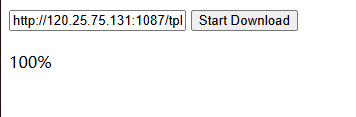
down.php
<?php

$downUrl = $_POST['url'];// 文件的URL

$fileInfo = pathinfo($downUrl);
$saveFile = $fileInfo['basename']; // 本地保存的文件名


file_put_contents('progress.txt','0');

$fp = fopen($saveFile, 'w');
$ch = curl_init($downUrl);
curl_setopt($ch, CURLOPT_RETURNTRANSFER, false);
curl_setopt($ch, CURLOPT_FILE, $fp);
// 启用进度回调函数
curl_setopt($ch, CURLOPT_NOPROGRESS, false);
curl_setopt($ch, CURLOPT_PROGRESSFUNCTION, function ($resource, $downloadSize, $downloaded, $uploadSize, $uploaded) {
    if ($downloadSize > 0) {
        // 计算下载进度百分比
        $progress = round(($downloaded / $downloadSize) * 100, 2);
        file_put_contents('progress.txt',$progress);
        //echo "下载进度: {$progress}%\n";
    }

    // 返回 0 表示继续下载,返回非 0 值将中止下载
    return 0;
});

curl_exec($ch);
$curlError = curl_error($ch);
curl_close($ch);
fclose($fp);

if ($curlError) {
    echo "下载出错: ". $curlError;
} else {

    echo "文件下载完成";
}

?>
pro.php
<?php

$progressTxt = 'progress.txt';// 文件的URL
$pro = file_get_contents($progressTxt);

if($pro == 100){
    unlink($progressTxt);
}

echo $pro;
index.html
<!DOCTYPE html>
<html>
<head>
    <meta charset="UTF-8">
    <title>File Download Progress</title>
    <script src="https://code.jquery.com/jquery-3.6.0.min.js"></script>
</head>
<body>
    <input type="text" id="fileUrl" value="http://120.25.75.131:1087/tpl/default/skin/img/company.mp4" placeholder="Enter file URL">
    <button id="downloadBtn">Start Download</button>
    <div id="progressWrapper">
        <div id="progressBar" style="width: 0%; background-color: green; height: 20px;"></div>
        <div id="progressText">0%</div>
    </div>

    <script>
        $(document).ready(function() {
            $('#downloadBtn').click(function() {
                var fileUrl = $('#fileUrl').val();
                if (!fileUrl) {
                    alert('Please enter a file URL.');
                    return;
                }
                var time = Date.now();


                // Send the file URL to the server for download
                $.ajax({
                    url: 'http://test.51zuso.com/down.php',
                    type: 'POST',
                    data: {
                        url: fileUrl,
                        time:Date.now()
                    },
                    success: function(response) {
                        console.log('response');
                    },
                    error: function() {
                        alert('Error sending file URL to server.');
                    }
                });


                // Start polling for progress
                var progressInterval = setInterval(function() {
                    $.ajax({
                        url: 'http://test.51zuso.com/pro.php',
                        type: 'GET',
                        success: function(progressData) {
                            $('#progressText').text(progressData+'%');
                            if(progressData == 100){
                                clearInterval(progressInterval);
                            }
                            console.log(progressData);
                        },
                        error: function() {
                            clearInterval(progressInterval);
                            alert('Error checking download progress.');
                        }
                    });
                }, 1000);

            });
        });
    </script>
</body>
</html>